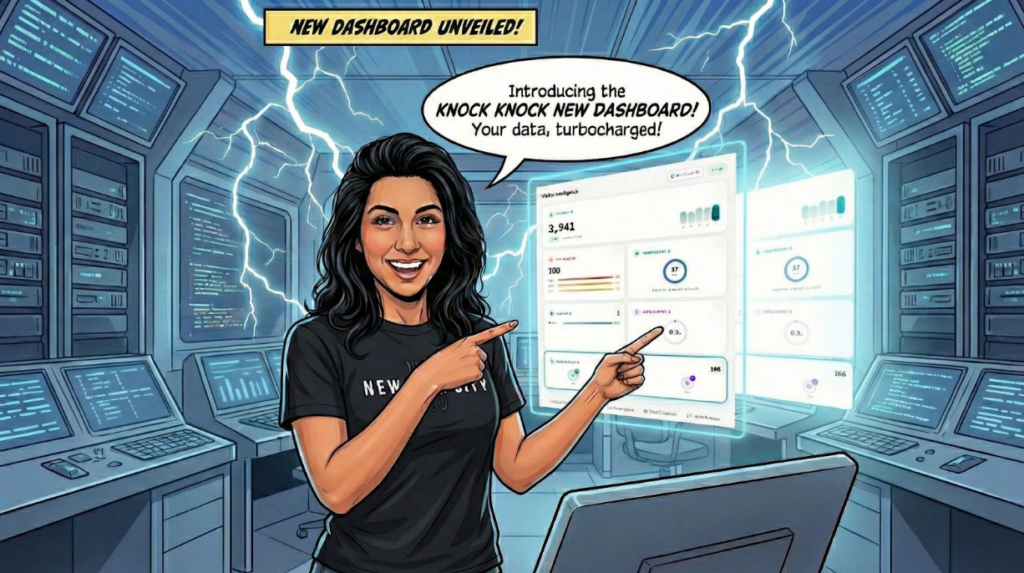
You’re spending money on ads. Traffic is coming in. But what’s actually happening?
Who’s on your site right now? Are they interested? Did they convert? Which channel brought them?
Many businesses rely on standard analytics to answer these questions. Knock Knock is designed to provide a more detailed view.
Your Sales Command Centre
The Knock Knock dashboard goes beyond standard website analytics by bringing visitor and engagement intelligence together.
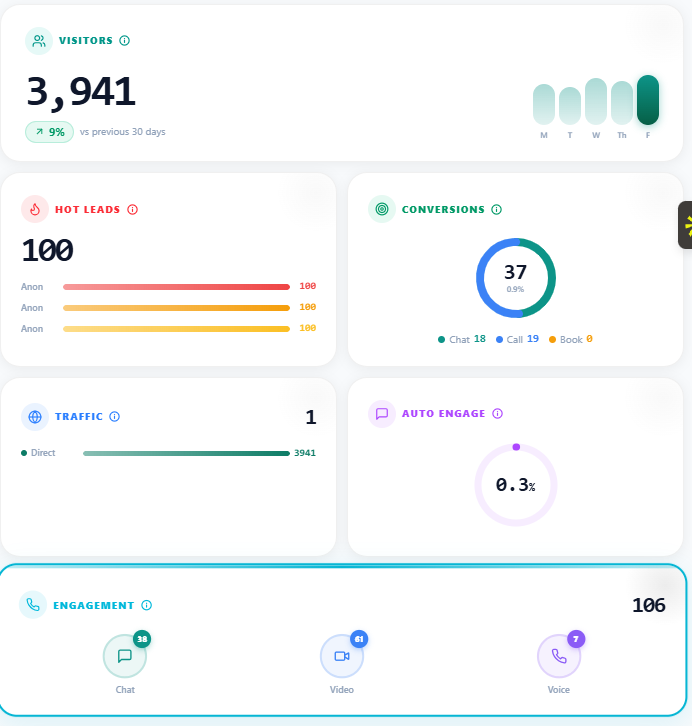
The moment you log in, you can see:
- Total visitors with week-on-week comparison
- Hot leads scored and ranked by intent
- Conversions with available details
- Traffic sources broken down by performance
- Engagement across chat, video, and voice
Instead of digging through separate reports or waiting for weekly summaries, you can monitor activity as it happens.
Hot Leads: Names, Not Numbers
This is where visitor intelligence becomes useful.
Visitors can be scored based on available behavioural signals. Pages visited. Time spent. Click patterns. Navigation flow. These signals can help indicate which visitors are showing stronger levels of interest.
But here’s what’s different: where visitor identification is available, you don’t just see a score. You can also see information associated with the identified visitor.
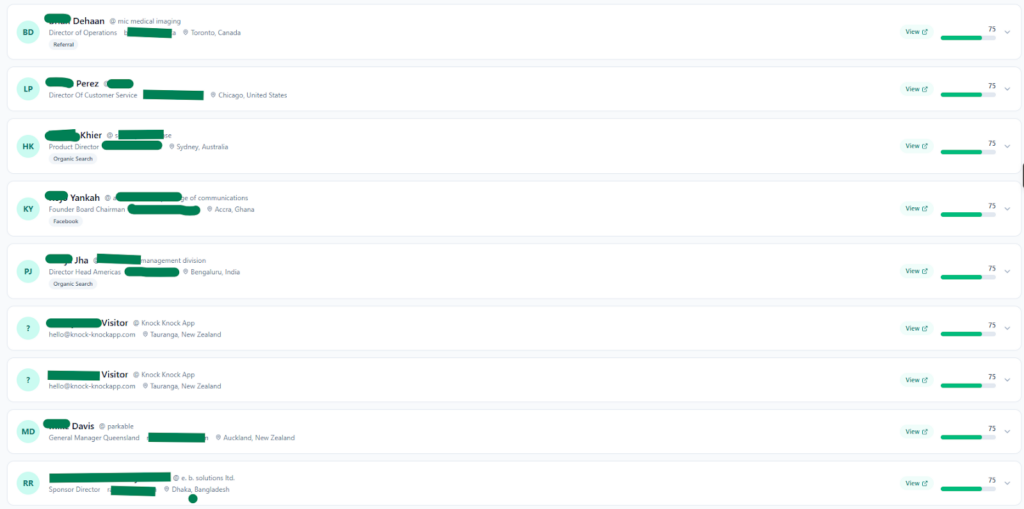
An example from the dashboard:
Oliver Vines, Senior Director of Real Estate Europe at PSP Investments. Visiting from Rochdale, UK. Arrived via Facebook. Intent score: 75.
Instead of viewing this simply as anonymous traffic, the dashboard can provide a named prospect with a job title, company, email where that information is available, alongside behavioural and intent signals.
This gives your sales team more context when deciding which prospects to prioritize. An intent score is an indicator based on available behaviour, not a guarantee that someone is ready to buy.
Conversions: Proof That It’s Working
Conversions can be logged with details such as:
- Date and time
- Contact name and email, where available
- How they converted (chat, voice, booking)
- Which page it happened on

This can help you look for patterns. Which pages are associated with more conversions? Which channels are generating valuable interactions? What time of day sees the most activity?
Instead of relying only on overall traffic numbers, you can use conversion data to understand how visitors are interacting with your website and engagement tools.
Traffic Sources: Know What’s Actually Delivering
Most businesses know which channels drive traffic.
The more useful question is what happens after those visitors arrive.
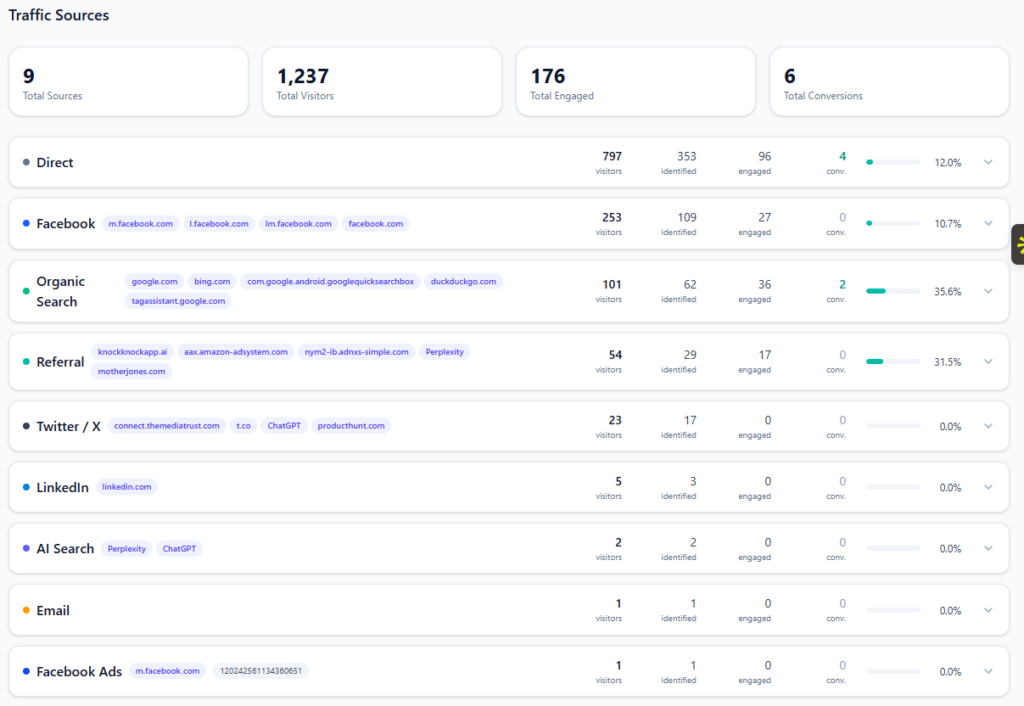
The Traffic Sources tab can show visitor and conversion activity side by side. For example:
| Source | Visitors | Identified | Engaged | Converted | Rate |
|---|---|---|---|---|---|
| Direct | 737 | 89 | 45 | 24 | 3.2% |
| 285 | 52 | 31 | 18 | 6.3% | |
| Organic | 98 | 12 | 8 | 4 | 4.1% |
| Referral | 2 | 1 | 1 | 1 | 50% |
The figures above are an example of how dashboard data may be displayed and should not be interpreted as typical or guaranteed performance.
This information can help you evaluate channels based on visitor activity and recorded conversions rather than traffic volume alone.
AI Performance: Message by Message
Your AI can engage visitors automatically. The next question is: which messages are generating engagement?
The Auto Engage tab can show information such as:
- How many times a message was shown
- How many visitors responded
- Response rate percentage
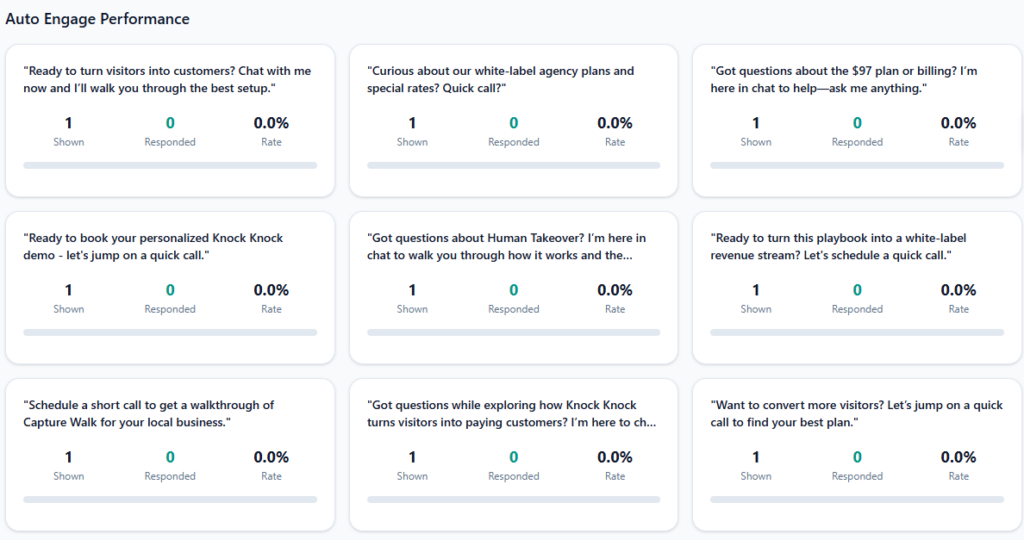
If one message is generating a stronger response rate than another, that information can help guide future testing. Messages receiving little engagement can be reviewed and adjusted.
The goal is to optimize using observed engagement data rather than relying only on assumptions.
Engagement: Every Conversation Tracked
Chat. Video. Voice. Interactions can be logged so you can understand how visitors are engaging.
Depending on the interaction and configuration, you can see information such as:
- Call duration
- Total sessions per channel
- Bookings generated
- Handoffs to human reps
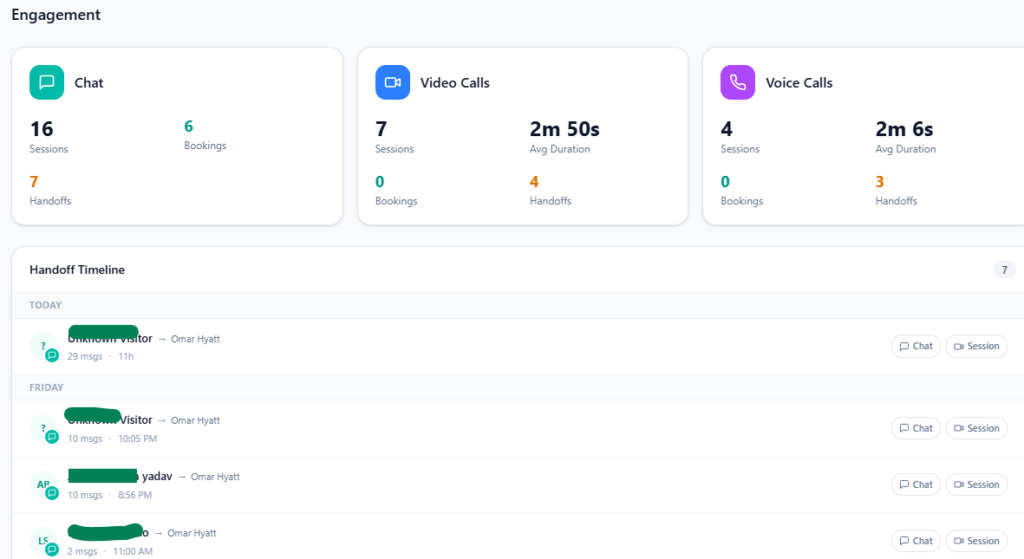
If one communication channel is associated with more bookings or engagement than another, that can help your team decide where to focus.
The Handoff Timeline can also provide visibility into AI-to-human transitions, helping teams understand when human representatives became involved and how interactions progressed.
The Activity Timeline
One graph. Three lines. Activity throughout the day.
- Visitors (when traffic peaks)
- Engagements (when people interact)
- Conversations (when discussions happen)
This can help you understand when your website receives the most activity, when automated engagement is handling interactions, and when your team may benefit from being available.
Use that information to make more informed decisions about scheduling, staffing, and engagement.
Why This Changes Everything
Standard analytics might tell you: “500 people visited your site.”
Knock Knock can add more context: an identified visitor came from a particular traffic source, visited specific pages, interacted with AI, and generated behavioural signals that indicate interest.
One provides traffic data. The other can provide additional context for sales and engagement decisions.
For Agencies: Your Client Retention Secret
When your clients log in, they may see metrics such as:
- Visitors during the selected period
- Hot leads identified
- Conversions logged
- Traffic-source performance
- AI conversations and engagement activity
The exact numbers will depend on each client’s website traffic, configuration, identification availability, and visitor behaviour.
Instead of looking only at abstract traffic numbers, clients can see more of the activity taking place across their website and engagement workflows.
That visibility can help agencies demonstrate the work being done and provide clients with more context around website activity and potential sales opportunities.
The Bottom Line
Your website visitors generate signals through the way they interact with your site.
Where they came from. What pages they viewed. How long they stayed. Whether they engaged. And, where identification is available, information about who they are.
Traditional analytics can show traffic and behaviour. Knock Knock is designed to add visitor intelligence and sales context to that information.
The Knock Knock dashboard translates visitor behaviour into actionable intelligence. Visitor information. Intent signals. Engagement data.
Stop guessing. Start knowing.
Frequently Asked Questions
Is this real-time data? The dashboard is designed to provide ongoing visibility into visitor, engagement, and conversion activity. The timing and availability of individual data points can depend on the feature, integration, and data source.
How are hot leads scored? Lead scores can use behavioural signals such as pages visited, time on site, scroll depth, click patterns, and return visits. Higher scores indicate stronger intent signals based on the scoring criteria; they do not guarantee that a visitor will purchase.
Can I see individual visitor details? For identified visitors, available information can include details such as name, company, job title, email, location, traffic source, and behaviour history. The exact information available can vary by visitor.
Does it track all traffic sources? Knock Knock can track and categorize traffic sources supported by its analytics and attribution capabilities. The specific source information available depends on the visitor, referral data, tracking configuration, and platform capabilities.
Can my clients access the dashboard? Knock Knock offers white-label capabilities for agencies, allowing supported client-facing experiences to use agency branding.
Does it integrate with my CRM? Knock Knock supports CRM integrations, including GoHighLevel and HubSpot integration, and Zapier for other CRMs. The exact data synced and automation available depend on the CRM and integration configuration.
Can I export the data? Available reporting and export capabilities depend on the dashboard features and account configuration. Check the current Knock Knock functionality for the specific data or report you need to export.
Is the mobile app connected to the same dashboard? Knock Knock’s mobile experience can provide access to supported visitor and engagement information. Available desktop and mobile features may differ, so specific functionality should be confirmed against the current version of the app.
The Knock Knock Visitor Intelligence Dashboard is live for all users.

Anna Hyatt
Co-Founder | Knock Knock App
AI × Human Touch = Happier Clients, More Revenue
LinkedIn Profile


