Let’s cut to the chase.
You’re looking for a Freshdesk alternative because something isn’t working. Maybe it’s the pricing. Maybe it’s the interface. Maybe you need different AI capabilities or features.
But here’s something worth considering:
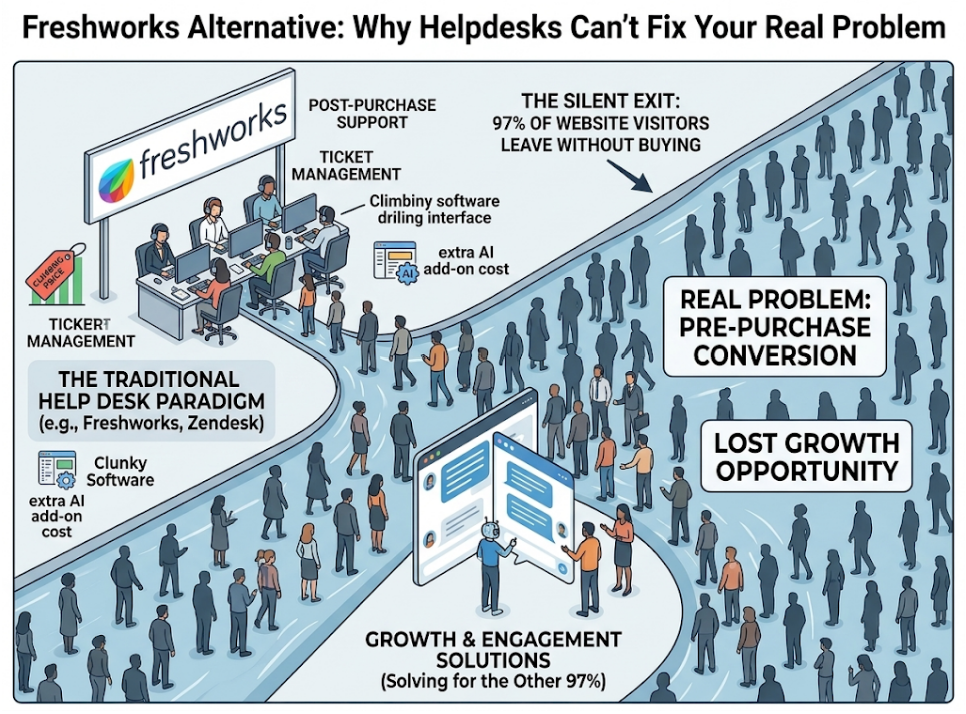
Switching from Freshdesk to another helpdesk may not solve the problem you’re actually trying to address.
Because if your challenge is converting more website visitors into customers, ticket management alone isn’t designed to solve it.
Freshdesk, Zendesk, Help Scout, and other helpdesk platforms are primarily designed around customer service and support workflows.
They solve a different problem from pre-sale website engagement.
If you just want a different helpdesk, this article will show you some of the options. But if you want to improve how you engage website visitors before they become customers, there’s another category worth considering.
The Real Problems With Freshdesk
Let’s be honest about why you’re searching for alternatives:
Pricing Can Change as Your Needs Grow
Freshdesk offers different plans and capabilities depending on the needs of your team.
As your requirements grow, additional users, AI capabilities, and higher-tier features can affect the overall cost.
Things to consider include:
- AI features and capabilities available with different plans or add-ons
- AI usage and billing models that may affect costs as usage grows
- Features available at different subscription tiers
- Per-agent pricing that can increase costs as your team grows
For businesses comparing helpdesks, it’s important to evaluate the total cost based on the features, AI usage, and number of agents you actually need.

Interface and Ease of Use
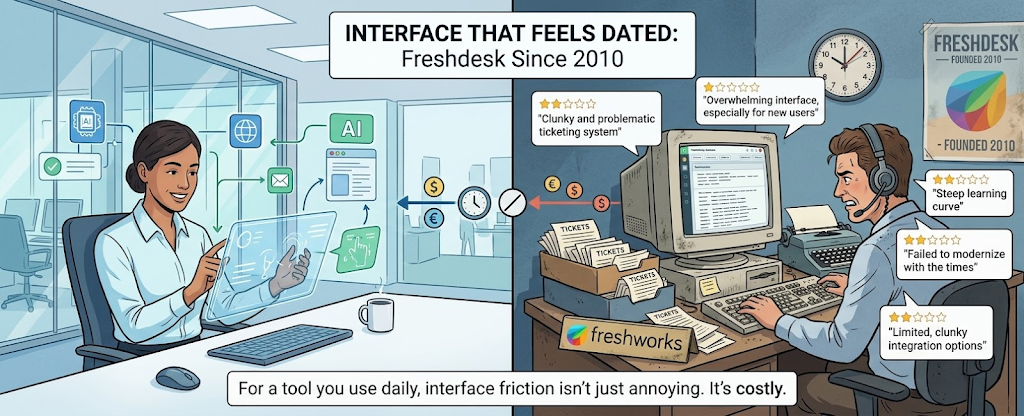
Freshdesk has been around since 2010 and has developed a broad range of customer-support capabilities.
As with many feature-rich platforms, user experiences with the interface can vary.
Some users may prefer a simpler workflow, while others may value the depth of functionality available.
For a tool your team uses daily, ease of use, onboarding, and workflow efficiency are important factors to consider.
AI Capabilities and Pricing
Freshdesk offers AI capabilities through Freddy AI.
Depending on the plan and current product offering, businesses may need to consider capabilities such as:
- Freddy Copilot
- Freddy Insights
- AI-powered automation
Because AI features, packaging, and pricing can change, businesses should compare the current Freshdesk plans based on the functionality and usage they actually require.

And it runs on a session-based model, meaning costs spike with volume. A product launch or marketing campaign can blow up your AI budget unexpectedly.
Customer Support Experience
Customer experiences with any software provider can vary.
When evaluating Freshdesk or an alternative, consider recent customer reviews, response times, onboarding resources, and the level of support included with your plan.
A helpdesk is an important part of your customer-service operation, so the support you receive from the platform itself should also be part of your evaluation.
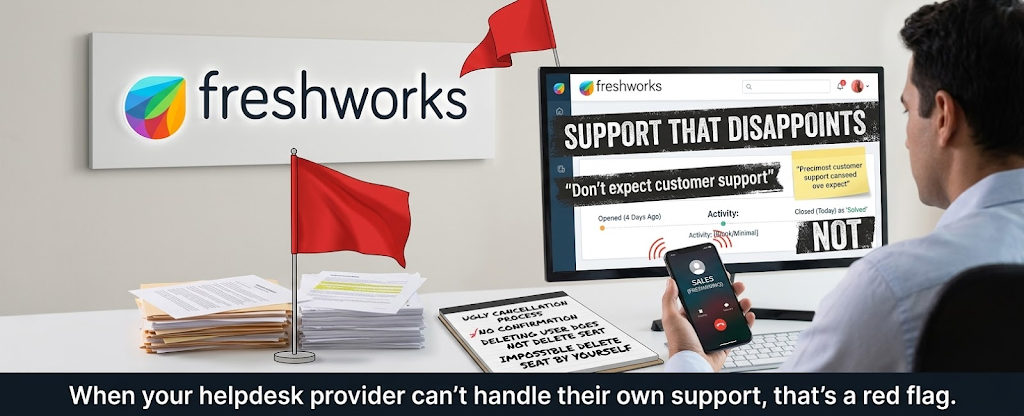
When your helpdesk provider can’t handle their own support, that’s a red flag.
The Fundamental Problem: It’s Still Reactive
Here’s what many “Freshdesk alternative” articles don’t focus on:
Freshdesk is primarily designed around customer support and service workflows.
Someone needs help, contacts your business, and your team uses the platform to manage that interaction.
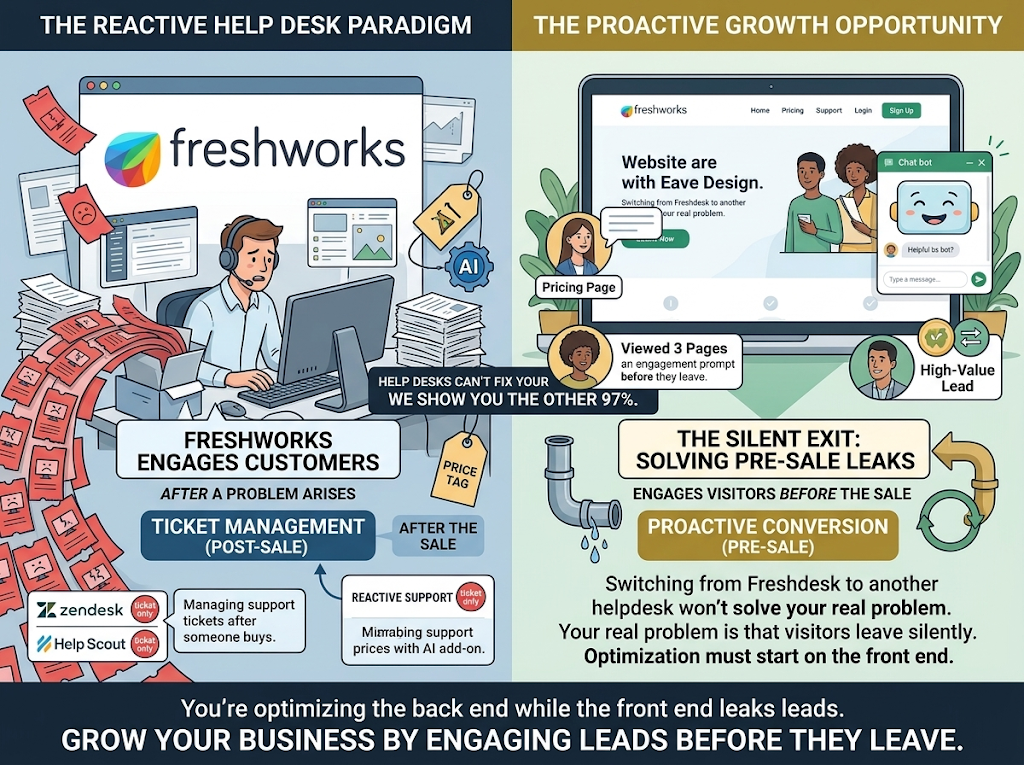
But what about:
- The visitor browsing your pricing page right now?
- The prospect who viewed three pages and is about to leave?
- The high-value lead comparing you to competitors?
That’s a different problem.
If your primary challenge is engaging prospects while they’re still browsing your website, you may need capabilities beyond traditional helpdesk functionality.
You’re looking at the front end of the customer journey, not just what happens once someone needs support.
What You Actually Need vs. What Helpdesks Give You
Let’s reframe the problem:
| What Helpdesks Give You | What You Actually Need |
| Ticket management after purchase | Engagement before purchase |
| Reactive support | Proactive conversion |
| Text-based communication | Video for trust-building |
| Anonymous visitor traffic | Identified visitor data |
| Support cost center | Revenue growth engine |
See the gap?
Freshdesk, Zendesk, Help Scout, Zoho Desk, they all solve the same problem: managing support after someone becomes a customer.
None of them solve the bigger problem: converting visitors into customers in the first place.
The Two Types of Freshdesk Alternatives
When you search for Freshdesk alternatives, you find two categories:
Type 1: Other Helpdesks
Zendesk
- Industry standard for enterprise
- Powerful but expensive
- Same reactive model as Freshdesk
Help Scout
- Clean, simple interface
- Great for email-first teams
- Same reactive model
Zoho Desk
- Budget-friendly
- Good Zoho ecosystem integration
- Same reactive model
Intercom
- Modern interface
- Strong AI with Fin
- Better proactive features but pricey
HubSpot Service Hub
- HubSpot CRM integration
- Free tier available
- Same reactive model
These are all legitimate Freshdesk alternatives if you want better ticket management.
But they share Freshdesk’s fundamental limitation: they manage customers after the sale, not before.
Type 2: Visitor Engagement Platforms
This is what you need if you want to actually grow your business:
A platform that:
- Identifies website visitors before they engage
- Reaches out proactively based on behavior
- Offers chat, voice, AND video
- Connects hot leads to humans seamlessly
- Converts visitors into customers
This is what Knock Knock App does.
It’s not a helpdesk. It’s a conversion engine.
Why Knock Knock App Is the Real Freshdesk Alternative
Let me be direct: if you only need post-sale ticket management, get Zendesk or Help Scout.
But if you want to capture leads from your website and grow revenue, here’s why Knock Knock App is what you need:
It Works Before the Sale, Not After
Freshdesk kicks in when customers have problems.
Knock Knock App kicks in when visitors are deciding.
- Someone’s on your pricing page
- Someone’s comparing you to competitors
- Someone’s about to leave without converting
Knock Knock App sees them, identifies them, and engages them in the moment.
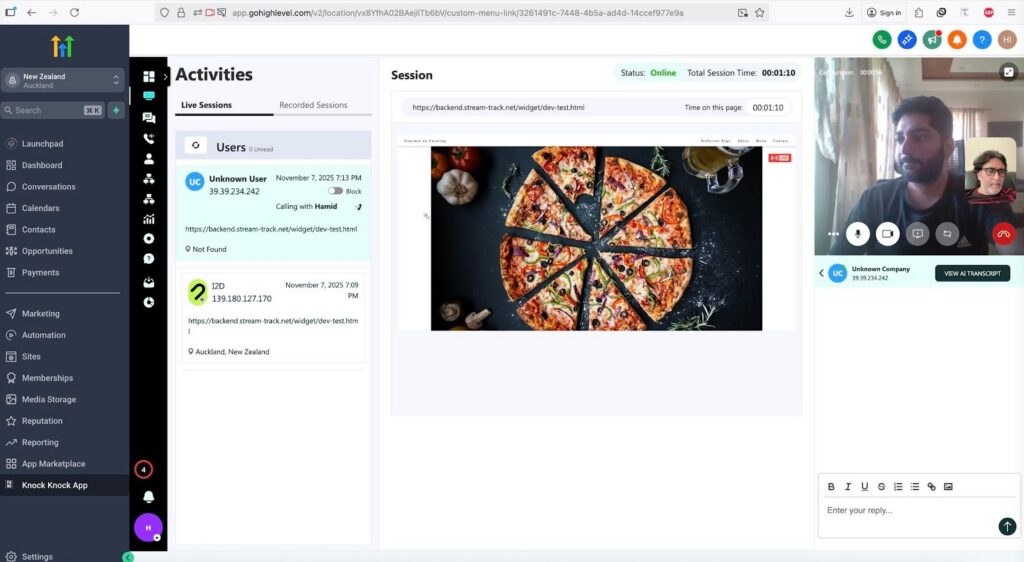
Visitor Identification (Not Just Ticket Collection)
Traditional helpdesk systems typically work with customer information collected through support or other interactions.
Knock Knock App uses available data signals to help surface visitor information such as:
- Full name
- Email address
- Company and job title
- LinkedIn profile
- Social profiles
- Traffic source
- Behavior data
The information available can vary by visitor, but this gives businesses another way to understand and engage website traffic.
Proactive Engagement Based on Behavior
Traditional support systems generally respond when customers initiate an interaction.
Knock Knock App can use website behavior to support proactive engagement:
Visitor on pricing page: “Comparing options? I can explain which plan fits your situation.”
Return visitor: “Welcome back. Ready to continue where we left off?”
Multiple page views: “You’ve been exploring for a while. Want me to point you to what you need?”
Instead of relying only on visitors to initiate conversations, you can create additional opportunities for engagement.
Chat, Voice, AND Video
Knock Knock App provides multiple ways for visitors and businesses to communicate:
- Text chat for quick questions
- Voice calls for more detailed conversations
- Live video for face-to-face communication
Video can be particularly useful when trust, demonstrations, or more personal conversations matter during the buying process.
Instead of moving every conversation to another platform, a visitor can connect with your team through live video directly from the website.
Human Takeover That Works
Knock Knock App’s Human Takeover allows your team to step into AI-assisted conversations when appropriate:
- AI engages and helps qualify visitors
- Your team can monitor conversations in real-time
- A human can join the conversation when needed
- The interaction can continue through video, voice, or chat
AI can support initial engagement while your team steps in for conversations that benefit from human involvement.
Camera Flip Is Unique
This doesn’t exist in any helpdesk.
Mid-video-call, flip to your rear camera and show:
- Products in hand
- Properties in person
- Facilities live
- Work in progress
For any business where showing beats telling, this is transformational.
Native CRM Integration
FFreshdesk and other helpdesk platforms offer integrations with different business systems.
Knock Knock App is designed around visitor engagement and sales workflows, with CRM integration helping information move into the systems your team already uses.
Depending on your current setup, this can include contact information, conversation history, pages viewed, intent data, and traffic source.
Transparent Pricing
Pricing should be evaluated based on your current requirements, number of users, features, AI usage, and integrations.
Rather than comparing only the advertised starting price of different platforms, compare the total cost of the capabilities your business actually needs.
For Knock Knock App, check the current plans and included features before making a direct pricing comparison.
The Real Comparison: Freshdesk vs. Knock Knock App
Let’s put them side by side:
| Capability | Freshdesk | Knock Knock App |
| Primary function | Customer service and support | Website visitor engagement |
| Visitor identification | Support-focused interactions | Pre-sale website engagement |
| Engagement style | Primarily customer-initiated support | Proactive engagement capabilities |
| Live video | Check current available capabilities | Website live video capability |
| Voice calls | Available through Freshworks ecosystem/products | Voice engagement capability |
| Camera flip | Check current available capabilities | Available during supported video interactions |
| AI approach | Freddy AI capabilities | AI visitor engagement |
| Human takeover | Agent support workflows | One-click, seamless |
| GoHighLevel integration | Limited | Native |
| HubSpot integration | Yes | Native |
| Pricing model | Per-agent + add-ons | Flat monthly rate |
| What it measures | Customer-service metrics | Visitor engagement and conversion activity |
The fundamental difference:
Freshdesk manages customers who already bought and have problems.
Knock Knock App converts visitors who are about to leave without buying.
Different problems. Different solutions.
Who Should Choose Knock Knock App Over Freshdesk
Be honest about your situation:
Consider Knock Knock App if:
- Your website is a major source of leads
- You want more opportunities to engage website visitors
- You sell products or services where trust matters
- Video would help build relationships with prospects
- You want proactive website engagement
- You want more visibility into visitor activity
- You want to measure engagement and conversion activity
Freshdesk or another helpdesk may make more sense if:
- Your primary need is managing customer-support tickets
- Your focus is post-sale customer service
- You need structured ticket-management workflows
- You’re managing high-volume support for existing customers
Can You Use Both?
Absolutely. They solve different problems.
Freshdesk (or alternative): Manage customer-service and support workflows. Handle post-sale issues. Track support activity.
Knock Knock App: Engage website visitors before purchase. Support proactive conversations. Offer chat, voice, and video. Capture lead and engagement information.
For businesses that need both website engagement and customer-support management, using tools from both categories can make sense.
The right combination depends on which parts of the customer journey your business needs to improve.
How to Make the Switch
If you’ve decided Knock Knock App is right for you:
Day 1: Setup
Time: 2-4 hours
- Sign up at knockknockapp.ai
- Install the widget on your website (10 minutes)
- Configure appearance and business hours
- Connect your CRM
You’re live the same day.
Day 2-3: Configure Engagement
Time: 2-3 hours
- Set behavior-based triggers
- Create contextual messages
- Configure qualification questions
- Set notification thresholds
Day 4-7: Enable Human Takeover
Time: 1-2 hours
- Learn the dashboard
- Practice taking over conversations
- Train your team
- Go fully live
Results to Measure
Early stage: Make sure the platform is configured correctly and monitor visitor identification, engagement, and conversations.
Following weeks: Refine engagement rules and compare lead and conversation activity with your previous baseline.
Over time: Evaluate conversion performance and ROI based on your actual website traffic, audience, offer, and sales process.
The Bottom Line
Freshdesk is a customer-service and helpdesk platform. If you’re considering an alternative, the first question is whether you actually need another helpdesk or whether you’re trying to solve a different problem.
Many Freshdesk alternatives focus on customer support and ticket management.
If your challenge is engaging website visitors before they leave, a visitor engagement platform addresses a different part of the customer journey.
Knock Knock App can help you:
- Surface available website visitor information
- Reach out proactively based on behavior
- Offer chat, voice, and video
- Enable human takeover
- Track engagement and conversion activity
Freshdesk focuses primarily on customer service and support.
Knock Knock App focuses on engaging prospects while they’re still on your website.
Which problem do you actually need to solve?
Frequently Asked Questions
What’s the main difference between Freshdesk and Knock Knock App? Freshdesk is primarily a customer-service and helpdesk platform, while Knock Knock App is a website visitor engagement platform. Knock Knock App focuses on engaging prospects while they’re still browsing your website through capabilities such as proactive engagement, visitor intelligence, chat, voice, and video.
Can Knock Knock App replace Freshdesk completely? It depends on your needs. If your primary challenge is converting website visitors, Knock Knock App handles that directly. For high-volume post-sale support ticket management, you might use both: Knock Knock App for pre-sale conversion and a helpdesk for post-sale support.
How does visitor identification work? Knock Knock App identifies visitors the moment they land on your website using multiple data signals: name, email, company, job title, LinkedIn profile, social profiles, and traffic source. This happens before they click chat, fill forms, or take any action. You see who’s browsing, not just anonymous traffic.
Does Knock Knock App have video calling? Yes. Native, one-click live video directly from your website. Visitors can go face-to-face with your team instantly. Plus camera flip to show products, demos, or facilities live. Freshdesk doesn’t offer video calling.
What about pricing compared to Freshdesk? Pricing depends on the plans, features, users, AI usage, and other capabilities your business requires. Because software pricing and packaging can change, compare the current Freshdesk and Knock Knock App plans based on the functionality you actually need rather than relying only on advertised starting prices.
What CRMs does Knock Knock App integrate with? Native integration with GoHighLevel and HubSpot. Zapier integration for everything else (Salesforce, Pipedrive, etc.). Full context flows automatically: contact info, conversation history, pages viewed, intent data, traffic source.
How long does setup take? Most businesses are fully live within 1-3 days. Widget installation takes 10 minutes. Configuration takes a few hours. You can start engaging visitors the same day you sign up. This compares favorably to Freshdesk’s “steep learning curve” that users frequently mention.
What about 24/7 coverage? Knock Knock App’s AI engages visitors 24/7. Visitors at any hour get immediate engagement, qualification, and capture. If you’re available via mobile app, AI can connect them to you live. If not, perfect follow-up is queued.
What results should I expect? Results vary depending on your website traffic, audience, offer, configuration, and sales process. Track metrics such as visitors identified, conversations started, leads captured, engagement rates, and conversions against your existing baseline to measure the platform’s impact.
Do I need technical skills to set up Knock Knock App? No. If you can copy-paste and access your website settings, you can set up Knock Knock App. Widget installation is simple for WordPress, Shopify, Webflow, and virtually any other platform. No coding required.
Ready to convert visitors, not just manage tickets?
👉 Try Knock Knock App: knockknockapp.ai

Anna Hyatt
Co-Founder | Knock Knock App
AI × Human Touch = Happier Clients, More Revenue
LinkedIn Profile


